

 RunDMGDownload
Double‑click a DMG. Get the app.
RunDMG copies the app to Applications and ejects the disk image for you. No more dragging an icon onto a folder shortcut.
$ brew install --cask cmer/tap/rundmg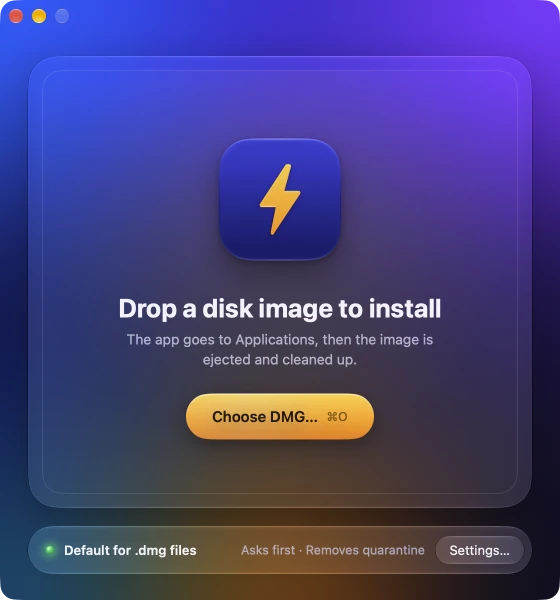
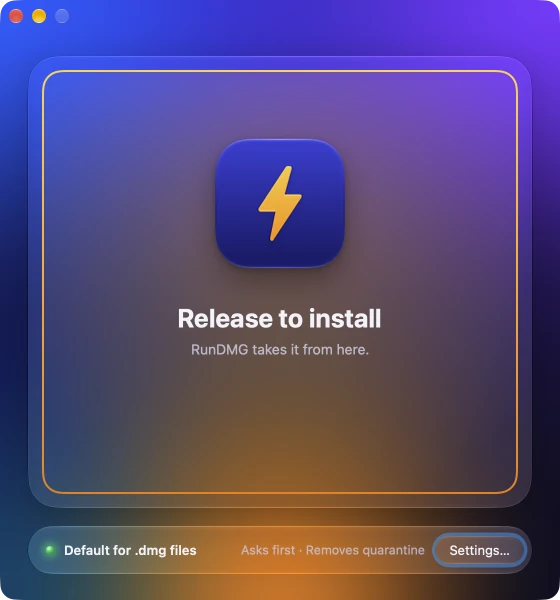
One install, start to finish.
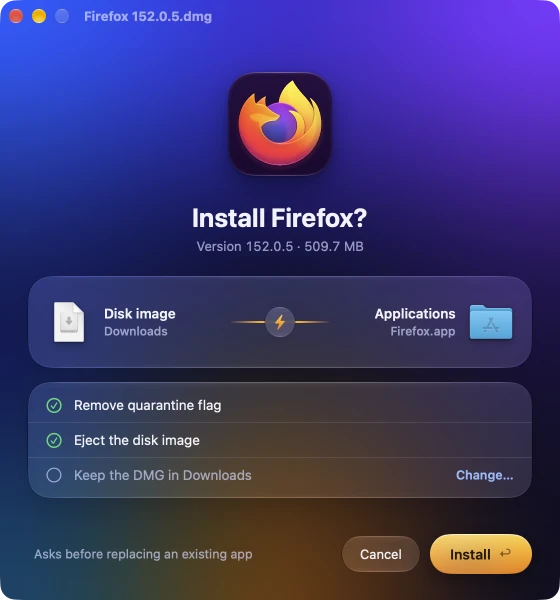
It shows you the plan first.
You see the app, its version and size, and where it goes. The checklist follows your settings. Press Return to install. Turn on Skip confirmation and this screen never appears.
Each step ticks off as it happens.
RunDMG copies the app to Applications, removes the quarantine flag, checks the signature and ejects the disk image. Most installs take a few seconds.
Then the window closes itself.
Open the app from here, or show it in Finder. Otherwise the window closes after 4 seconds. The DMG stays in Downloads unless you've told RunDMG to move it to the Trash.
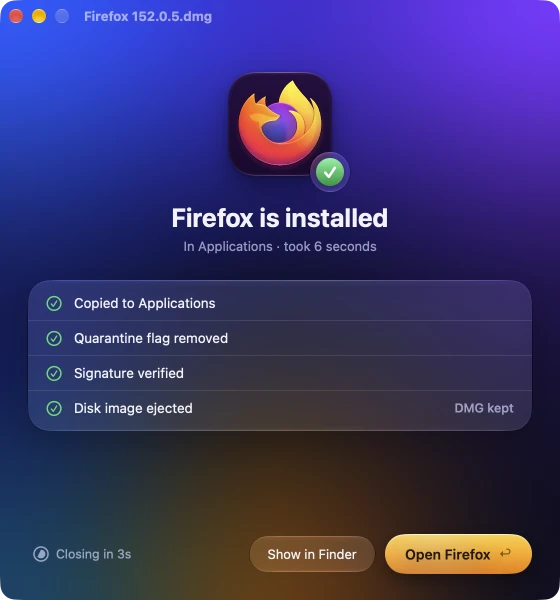
It stops only when it needs you.
Most installs go straight through. RunDMG asks only when there's a real choice to make.
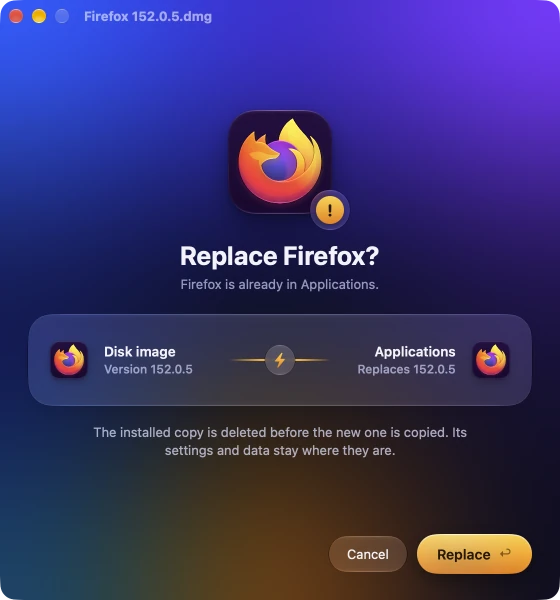
The app is already installed
RunDMG asks before it replaces the copy in Applications. The app's settings and data stay where they are.
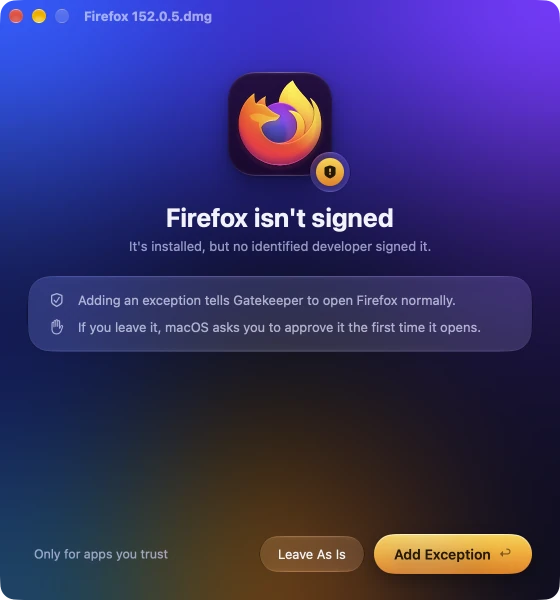
No developer signed it
Add a Gatekeeper exception so macOS opens it normally, or leave it and approve it the first time it opens.
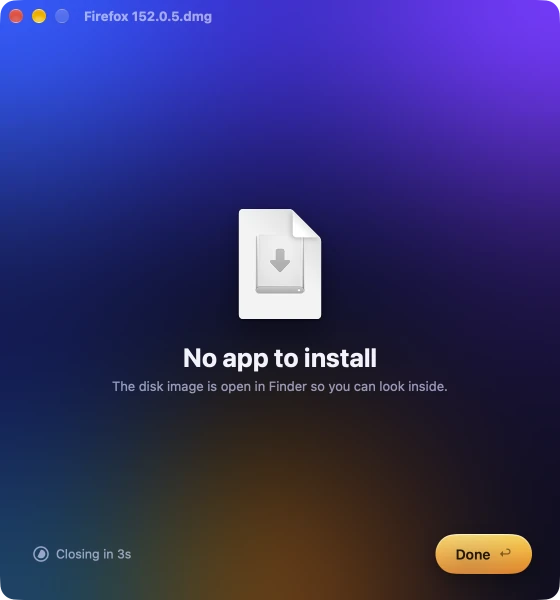
There's no app inside
The disk image opens in Finder so you can look inside. Several apps in one image open in Finder too.
Rather not see a window at all?
Turn off Show the progress window. You get a notification when the app is installed, and a window only when RunDMG needs an answer.
Make it the default for .dmg files.
Click Make Default once and the status light turns green. From then on, double-clicking any disk image installs the app inside. Restore Finder in Settings hands .dmg files back to macOS.
Settings (⌘,) has the rest. Skip the confirmation, replace apps without asking, move the DMG to the Trash afterwards, or keep the quarantine flag. Every choice shows up in the checklist before the next install.

What's inside decides what happens.
RunDMG looks at the top of the disk image and in folders like Install and Extras, then picks one of these.
- An appFirefox.appgoes toApplicationsCopied, image ejected
 An installerInstall Something.app, Setup.app, a .pkggoes toOpened for youEjected after it quits
 Several apps, or noneNothing clear to installgoes toFinderOpens the image for you
Questions.
Is RunDMG free?
Yes. There's no trial, no account and nothing to buy.
Which Macs does it run on?
macOS 26 Tahoe or later, on Apple silicon and Intel. It's one universal app.
What does removing the quarantine flag do?
macOS marks every app you download with a quarantine flag. The first time you open a marked app, Gatekeeper checks it and asks if you're sure. Some apps show "is damaged and can't be opened" instead.
RunDMG removes the flag from the app it just installed, so the app opens without that prompt. Only install apps you trust. To keep the flag, turn off Remove quarantine flag in Settings.
What happens with apps no developer signed?
After copying, RunDMG checks the signature. If the app isn't signed, it asks whether to add a Gatekeeper exception (what spctl --add does) so macOS opens it normally. You can leave it as it is, or have RunDMG add the exception without asking.
What about disk images with a license agreement or a password?
When a disk image shows a software license agreement, RunDMG accepts it for you and installs as usual. A disk image that needs a password opens in Finder, so you can type it there.
How does RunDMG update?
It checks for a new version once a day, downloads it in the background and installs it when RunDMG quits. You can turn either off in Settings, or choose Check for Updates in the RunDMG menu.
Does RunDMG send any data?
Only the update check. It sends an anonymous install ID, the app version and the build channel, so we can count how many Macs run RunDMG. Nothing about you, your Mac or the disk images you install. The privacy page has the details.
How do I give .dmg files back to Finder, or remove RunDMG?
Click Restore Finder in Settings and macOS opens disk images itself again. Then move RunDMG from Applications to the Trash.

Next time, just double‑click the DMG.
Free, and it keeps itself up to date. For macOS 26 Tahoe or later, on Apple silicon and Intel.
$ brew install --cask cmer/tap/rundmg